
Build a Phone Empire Guide: How to Start Your Phone Company
Learn how to start Build a Phone Empire: design devices, build an office, hire a team and launch phones in this Roblox tycoon game, with tips for beginners.
How to Start Playing Build a Phone Empire
To start playing Build a Phone Empire, open the game's Roblox page at Build a Phone Empire and launch it — it is free to play. The experience is a simulation and tycoon game from DEVTEC STUDIOS in which, as the creator's description puts it, you start in a garage in 2007 and build the biggest phone company in the world. This guide covers only what the official game page and creator description actually state; where a detail is not officially documented, it is flagged below.
What kind of game it is
Build a Phone Empire is a Roblox tycoon-style simulation about running a phone company. The official description lays out the loop: design devices, build an office, hire a team, research new technology, launch products with marketing campaigns, and compete on global leaderboards.
- Platform: The creator's checklist in the game description states that the game "Plays on phone, tablet, console and PC." This is the creator's own wording; the game page's platform metadata does not say which devices this experience supports.
- Saving: The creator states that your company saves automatically.
- Goals: The description lists 28 goals with cash rewards.
- Badges: There is one official badge, "Welcome! : You played the game!"
Servers hold up to 8 players, per the game page. The page does not break down which specific Roblox-supported devices are tested or recommended, so treat the platform line as the creator's own summary rather than a technical specification.
Your starting point: a garage in 2007
Per the official description, your company begins in a garage in 2007. That is the starting setting for the whole progression — the description frames the arc as going "from a garage to a Headquarters."
The official materials do not publish starting cash amounts, tutorial steps, or a first-objective checklist, so any specific opening numbers you see elsewhere are not confirmed by the game page. For free resources, GameRant's code list reported that redeeming all four active codes it listed would give at least 151,000 Cash and 210 RP, alongside additional rewards from the CEO code. Those figures are the site's own reporting, not an official statement, and codes change over time. In a full guide on YouTube, NoobBlox says that joining the group gives free cash and RP points and recommends claiming daily rewards.
Designing and pricing your first device
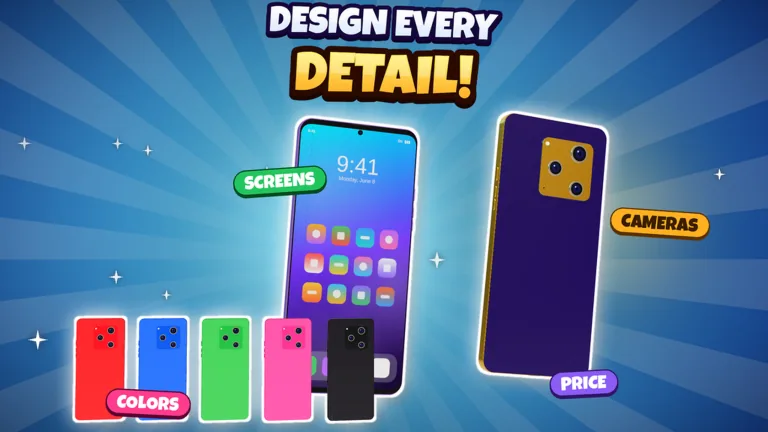
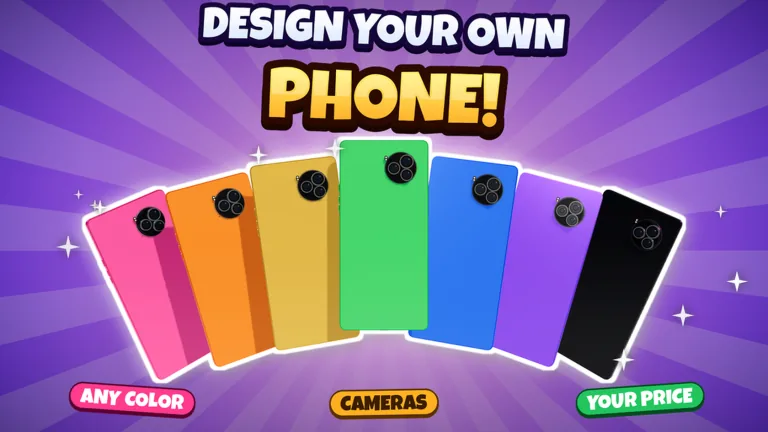
The creator's description says you design every device yourself, choosing screen size, cameras, corners, buttons, colour, finish and logo. You then pick the parts, set the price, and hand the device to your team.
The description does not give a recommended price, a parts budget, or a scoring formula for critics' reviews. It only says you launch with a marketing campaign and then "read the critics' reviews and watch sales come in live." In practice, your first device involves three creator-confirmed choices: the visual and hardware design, the parts, and the price. In a full guide on YouTube, NoobBlox says that a phone sells over time, that you can discontinue it or change its price, and that as long as the price is above the cost per unit you are making a profit.
Building your office from the garage up
Office construction is described as fully player-directed: walls, doors, floors, paint, desks and decorations. The stated progression runs from a garage to a headquarters.
The game page does not list construction costs, room types beyond those named, or whether any layout is required before you can launch a product. Because the game saves your company automatically, your office progress should persist between sessions — that part is officially stated. In a full guide on YouTube, NoobBlox says that better desks boost work speed and that computers are good for research, and recommends keeping up with the goals shown on the left of the screen because they help you out.
Hiring your team and launching your first phone
According to the official description, your Roblox friends appear as candidates and work in your office as their real avatars. Hiring is therefore tied to your friends list, though the page does not explain what happens if you have no friends playing the experience.
Research is described as advancing "year by year," unlocking tablets, smartwatches, earbuds, foldables, laptops, AR headsets and drones. The description does not specify research costs or a tech-tree order. In a full guide on YouTube, NoobBlox says that you can only research one thing at a time and that every day you get extra research points back, so it is worth researching because you will be able to make better phones.
Once your device is ready, the described launch flow is a marketing campaign, critics' reviews, and live sales, followed by competition with rival companies and expansion into new regions. When you are ready to restart, the creator says you can sell your company and start again with a permanent Legacy bonus — the page does not state how large that bonus is.
For community-updated information on free resources and how to redeem them, Dexerto's code guide describes a Store menu with a Codes tab, though that process comes from third-party reporting rather than the official page.
Related guides
Related Guides
Build a Phone Empire Codes (November 2026)
Looking for Build a Phone Empire codes? See what third-party sites report about codes for cash and research points, how they are redeemed and what to expect.
Build a Phone Empire: From a 2007 Garage to a Global Headquarters
The overall progression arc of Build a Phone Empire, from a 2007 garage startup to a global phone company with regions, rivals and a Legacy sale.
Build a Phone Empire: 28 Goals and 8-Player Servers Explained
A quick reference covering the two numbers every new player asks about: the 28 in-game goals with cash rewards and the 8-player server limit.
Build a Phone Empire Money and Cash Guide
Cash in Build a Phone Empire pays for parts, office upgrades and marketing. Learn where cash comes from and what it is spent on, including third-party notes on codes.