
Build a Phone Empire Money and Cash Guide
Cash in Build a Phone Empire pays for parts, office upgrades and marketing. Learn where cash comes from and what it is spent on, including third-party notes on codes.
How Cash Works in Build a Phone Empire
Cash is one of the resources in Build a Phone Empire, the free-to-play Roblox experience from DEVTEC STUDIOS. The official game page states that the game includes 28 goals with cash rewards and that you can sell your company and start again with a permanent Legacy bonus, but it does not say how much cash you start with or what individual parts, office items or campaigns cost.
What Cash Is Used For
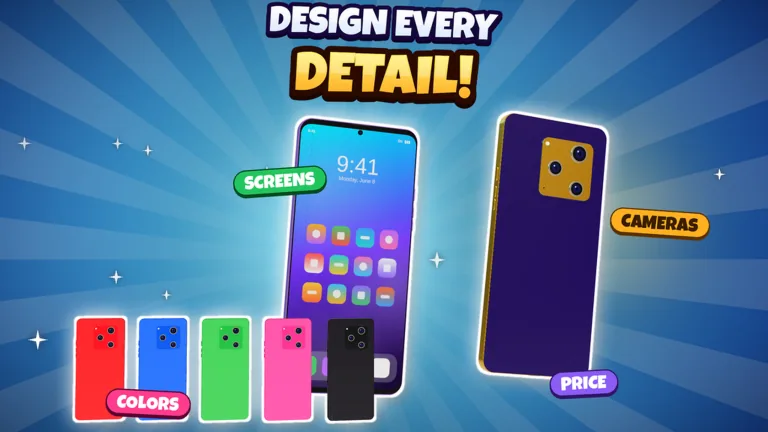
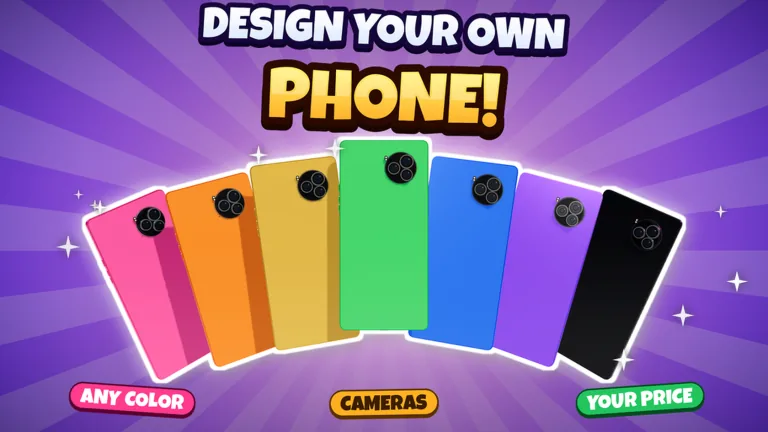
According to the creator's own description, the core loop is: pick the parts for each device, set its price, hand it to your team, and launch it with a marketing campaign. You also build your office your way — walls, doors, floors, paint, desks and decorations — starting from a garage in 2007 and working up to a Headquarters.
Third-party code guides also list spending categories. According to Dexerto, cash covers components, office furniture, staff wages, advertising and a bigger headquarters. According to GameRant, parts, marketing campaigns and converting a garage into a headquarters all cost money, and it advises keeping a healthy balance so you can try a bold colour or a bigger screen without panic if the first critics are harsh.
Research is the other half of the economy. The official description says you research new tech year by year to unlock tablets, smartwatches, earbuds, foldables, laptops, AR headsets and drones. Dexerto says Research Points (RP) let you develop better features and branch into products like tablets, smartwatches, earbuds, foldables and laptops, and that the two resources serve different purposes, though it does not spell out the exact relationship between RP and research. In a beginner guide on YouTube, PopBloxy says that salaries and projects cost money, that cash goes up when your phone sells and down when you pay salaries and start projects, and advises not to start expensive projects or hire while your balance is low.
Where Cash Comes From
The official description states two cash rewards directly:
- Goals. The game includes 28 goals with cash rewards.
- Selling your company. You can sell your company and start again with a permanent Legacy bonus, though the description does not state how the bonus is calculated.
The description also says that devices are launched with a marketing campaign, that you read the critics' reviews, and that you watch sales come in live. It does not state that those sales are paid to you as cash, so treat that link as undocumented. The same applies to beating rival companies, expanding into new regions and the global leaderboards: the page mentions all three, but does not say whether they pay cash. In a beginner guide on YouTube, PopBloxy says that completed goals give you cash rewards and that as long as people keep buying your phone, the money keeps coming in.
The description does not document a passive income rate, a starting cash amount, or the price of any individual part, office item or marketing campaign.
Cash From the 28 Goals
The Roblox page advertises "28 goals with cash rewards" as a headline feature, which makes goal completion one of the officially stated cash rewards, alongside selling your company for a Legacy bonus. The page does not list what the goals are, what each pays, or whether rewards scale. Third-party guides discuss progression strategies, but no official or third-party material describes goal-by-goal cash figures, so treat any specific number you see elsewhere as unofficial. In a full guide on YouTube, NoobBlox recommends keeping up with the goals because they help you out quite a bit.
Cash From Codes (Third-Party Reports)
The Roblox page description does not publish any code right now. Code rewards appear only in third-party guides, so the following is not official information.
According to Dexerto, six codes were active as of October 27, 2026:
| Code | Rewards |
|---|---|
| LAPTOPS | 75K Cash, 90 RP |
| COMPANIES | 38K Cash, 60 RP |
| CEO | Cash and RP (amounts not specified) |
| SPOOKY | 38K Cash, 60 Candy, 60 RP |
| FLAGSHIP | 38K Cash, 15 RP |
| WELCOME | 38K Cash, 60 RP |
Dexerto describes redeeming as: click the Store button in the top-right of the screen, select the Codes tab in the bottom-left of the Store menu, enter a code and click Redeem. According to GameRant, its list of working codes at the time came to four (COMPANIES, CEO, WELCOME and LAPTOPS), and it gives reward amounts only for COMPANIES, WELCOME and LAPTOPS, listing CEO simply as Cash and RP. It also states that redeeming all four active codes gives at least 151,000 Cash and 210 RP, alongside additional rewards from the CEO code — that total is GameRant's own figure, not something the game's page confirms. The two guides differ on the exact reward for CEO and on the number of active codes, so check each before redeeming.
Neither the official page nor the third-party sources state an expiry date for any code. Dexerto names the game's official Discord server as the best place to keep up with new codes and announcements. The Roblox page itself only confirms the group behind the game, DEVTEC STUDIOS, and does not link a Discord.
Practical Takeaways
- According to Dexerto, RP is what lets you develop better features and branch into products like tablets, smartwatches, earbuds, foldables and laptops.
- The officially stated cash rewards are the set of 28 goals with cash rewards and selling your company for a Legacy bonus; everything about code values comes from third-party guides and may be out of date.
- The game saves your company automatically, per the official description.
- The official description says your Roblox friends show up as candidates and work in your office as their real avatars.
Related guides
Related Guides
Build a Phone Empire Codes (November 2026)
Looking for Build a Phone Empire codes? See what third-party sites report about codes for cash and research points, how they are redeemed and what to expect.
Build a Phone Empire Guide: How to Start Your Phone Company
Learn how to start Build a Phone Empire: design devices, build an office, hire a team and launch phones in this Roblox tycoon game, with tips for beginners.
Build a Phone Empire: From a 2007 Garage to a Global Headquarters
The overall progression arc of Build a Phone Empire, from a 2007 garage startup to a global phone company with regions, rivals and a Legacy sale.
Build a Phone Empire: 28 Goals and 8-Player Servers Explained
A quick reference covering the two numbers every new player asks about: the 28 in-game goals with cash rewards and the 8-player server limit.