
Build a Phone Empire: What Progresses Your Company After Launching a Phone
Using the creator's feature list, here is the order of activities in Build a Phone Empire once your first device is on sale.
- What should I work on after launching your first phone in Build a Phone Empire?
- How do you design and launch a phone?
- Should you spend money on the office or on research first?
- How do you hire staff and run marketing?
- What else keeps a company moving forward?
- Is Build a Phone Empire free, and what are the server limits?
- Related guides
What should I work on after launching your first phone in Build a Phone Empire?
After your first launch, the game points you toward a loop of reading your reviews and live sales, then reinvesting that cash into your office, your team, research, marketing and expansion. The official description describes launching "with a marketing campaign, read the critics' reviews and watch sales come in live," so the next step is to see how the device performed and put the money back into the company. The game's Roblox page lays out each of these systems, though the depth and pacing of each one are not documented in detail.
How do you design and launch a phone?
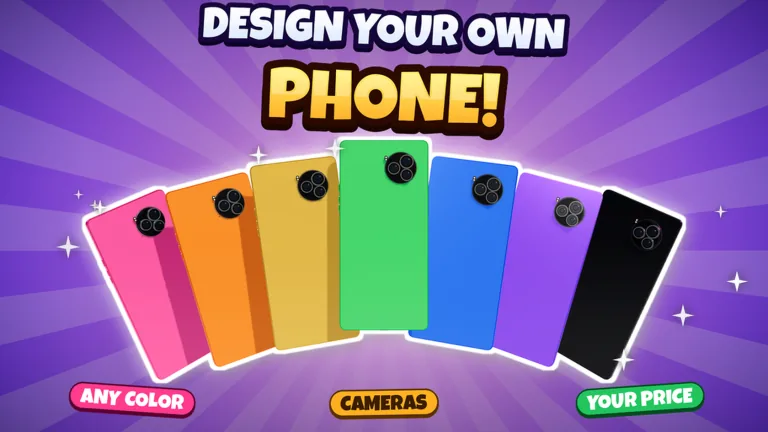
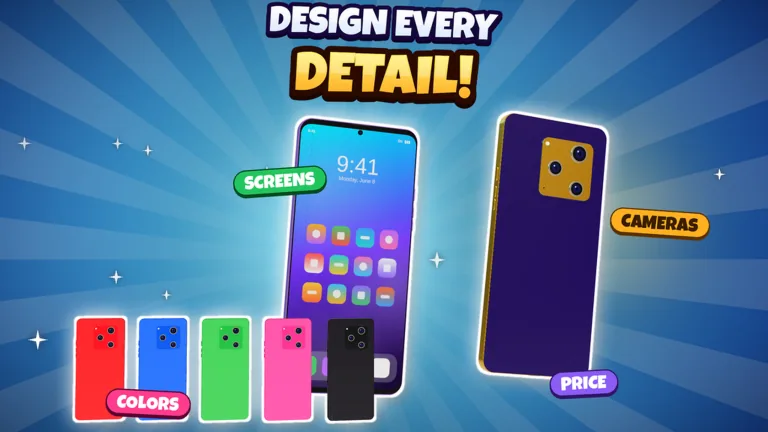
You design every device yourself. According to the official description, you pick the screen size, cameras, corners, buttons, colour, finish and logo, choose the parts, set the price, and hand it to your team. The launch itself comes with a marketing campaign, and then critics' reviews and sales figures follow.
What the description does not explain is how parts are unlocked, how pricing affects reviews, or how long a launch cycle takes. Those details are not officially documented on the game page, so treat any specific numbers you hear elsewhere with caution until the creator posts them.
Should you spend money on the office or on research first?
Both are confirmed parts of the game, but the page does not prescribe an order. The description presents them as parallel tracks:
- Office: build walls, doors, floors, paint, desks and decorations, growing from a garage to a Headquarters.
- Research: unlock new tech year by year, including tablets, smartwatches, earbuds, foldables, laptops, AR headsets and drones.
Since the game starts you in a garage in 2007, research is framed as a year-by-year progression, which suggests new device categories open up as time passes. The description does not say what each research step costs or whether office upgrades gate anything, so there is no officially confirmed "correct" spending order.
How do you hire staff and run marketing?
You hire a team, and your Roblox friends appear as candidates who work in your office as their real avatars. That is the only hiring detail the description gives; it does not state salaries, skill levels or how many staff you can hold.
Marketing is described as part of each launch ("Launch with a marketing campaign"), and the description also mentions competing on global leaderboards and expanding into new regions. Whether marketing budget changes review scores or sales volume is not officially documented.
What else keeps a company moving forward?
The description lists two longer-term systems:
- 28 goals with cash rewards — completing them pays out cash.
- Selling your company — after selling, you restart with a permanent Legacy bonus.
It also confirms your company saves automatically, so progress carries over between sessions. The page does not detail how large the Legacy bonus is or what each goal requires.
Is Build a Phone Empire free, and what are the server limits?
Yes, it is free to play on Roblox. According to the official page, servers hold up to 8 players, the experience was created on 22 September 2026 and last updated on 2 November 2026, and it is listed under Simulation and Tycoon. The page also states it plays on phone, tablet, console and PC, though it does not specify which individual devices are supported.
There is one official badge, "Welcome!", awarded for playing the game. As for promotional codes, the official game description does not publish any code right now, so there is nothing to redeem from official channels at the time of writing.
Related guides
Related Guides
Build a Phone Empire Codes (November 2026)
Looking for Build a Phone Empire codes? See what third-party sites report about codes for cash and research points, how they are redeemed and what to expect.
Build a Phone Empire Guide: How to Start Your Phone Company
Learn how to start Build a Phone Empire: design devices, build an office, hire a team and launch phones in this Roblox tycoon game, with tips for beginners.
Build a Phone Empire: From a 2007 Garage to a Global Headquarters
The overall progression arc of Build a Phone Empire, from a 2007 garage startup to a global phone company with regions, rivals and a Legacy sale.
Build a Phone Empire: 28 Goals and 8-Player Servers Explained
A quick reference covering the two numbers every new player asks about: the 28 in-game goals with cash rewards and the 8-player server limit.