
How Device Design Works in Build a Phone Empire
Design every phone yourself in Build a Phone Empire: screen size, cameras, corners, buttons, colour, finish and logo, then pick parts, set a price and hand it to your team.
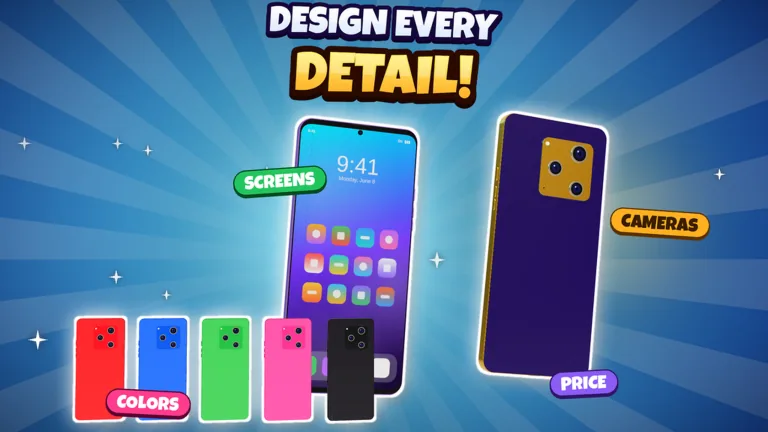
How You Design a Phone in Build a Phone Empire
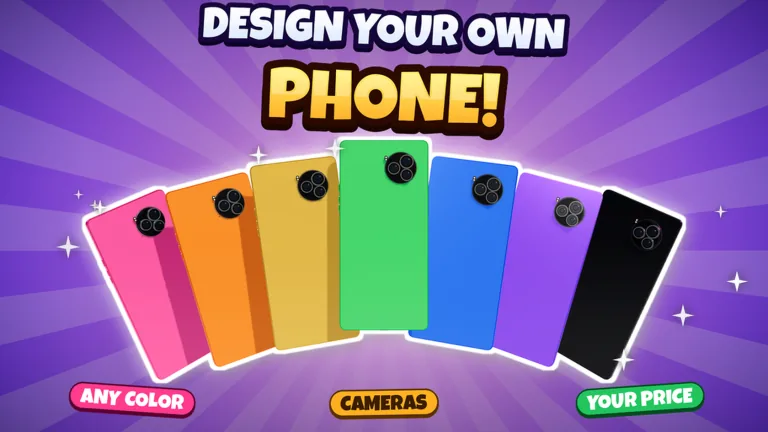
You design a phone in Build a Phone Empire by choosing the parts and looks yourself, then setting the price and handing the finished device to your team. The official Roblox game page says you can "DESIGN every device yourself," and lists the design options, though it does not explain the in-game menu, steps or interface for doing so.
What the Official Description Lists as Customisable
The creator's description names these design choices:
- Screen size
- Cameras
- Corners
- Buttons
- Colour
- Finish
- Logo
The description does not say how many options each category offers, or whether any choices are locked behind research. Treat anything beyond that list as not officially documented.
Parts, Price and Your Team
After the design choices, the description says to "Pick the parts, set the price and hand it to your team." That is the whole of the official wording on parts and pricing. No part costs, price ranges or pricing effects are officially documented, and the game page does not describe how your team builds or sells the device.
Third-party coverage offers a little more framing but no official detail. Pocket Tactics, in its codes guide, describes the game as a tycoon where you design phones by choosing features like screen size, cameras, colours and logos, and says Cash pays for parts and upgrades. PCGamesN's codes page similarly says Cash is used for components, office decoration and marketing. Both are third-party accounts, not official rules.
How Design Connects to Research and Launch
The description says you "RESEARCH new tech year by year" and unlock tablets, smartwatches, earbuds, foldables, laptops, AR headsets and drones, so the product range grows over time. After design, you "LAUNCH with a marketing campaign, read the critics' reviews and watch sales come in live." The page does not state what critics judge your design on, or how design choices affect reviews or sales.
Seeing Design in Action
The third-party Medal.tv page reproduces the same creator description and hosts player clips of the experience. Neither the description nor that page states exactly how each design step is performed, so any specific on-screen sequence is not officially documented.
Related guides
Related Guides
Build a Phone Empire Codes (November 2026)
Looking for Build a Phone Empire codes? See what third-party sites report about codes for cash and research points, how they are redeemed and what to expect.
Build a Phone Empire Guide: How to Start Your Phone Company
Learn how to start Build a Phone Empire: design devices, build an office, hire a team and launch phones in this Roblox tycoon game, with tips for beginners.
Build a Phone Empire: From a 2007 Garage to a Global Headquarters
The overall progression arc of Build a Phone Empire, from a 2007 garage startup to a global phone company with regions, rivals and a Legacy sale.
Build a Phone Empire: 28 Goals and 8-Player Servers Explained
A quick reference covering the two numbers every new player asks about: the 28 in-game goals with cash rewards and the 8-player server limit.