
Build a Phone Empire Server Size and Friends
Build a Phone Empire supports up to 8 players per server on Roblox. See how the player limit works and how playing with friends ties into hiring your team.
How many players can be in one Build a Phone Empire server?
Eight. The Roblox game page for Build a Phone Empire lists a maximum of 8 players per server, so a single session holds at most eight people at once. That figure is the only server-size information the page provides; it does not explain how servers are filled, whether the cap can be adjusted, or how matchmaking groups players together, and none of that is officially documented.
What the 8-player limit means for playing with friends
A cap of eight is small enough that a full server is roughly the size of a single group of friends. Beyond the number itself, the practical effects are not spelled out officially:
- The game page does not state whether players in the same server run separate companies or share one, and no official source in the materials here clarifies it.
- It is not documented whether you can pick or create a server to join with friends, or whether you simply join whoever is already there.
- The page does not say which devices the experience supports. Roblox itself runs on Windows, Mac, iOS, Android, Xbox and PlayStation, but the game page does not specify support for this experience; the creator's own description claims it "Plays on phone, tablet, console and PC," which is the creator's statement rather than a separate platform listing.
Friends appear in your office as candidates
The most direct friends-related feature is described by the creator on the game page: when you hire a team, your Roblox friends show up as candidates and work in your office as their real avatars. So friends have a role in the tycoon loop even beyond simply occupying one of the eight server slots — they can appear on your hiring list and stand in your building wearing their own avatars.
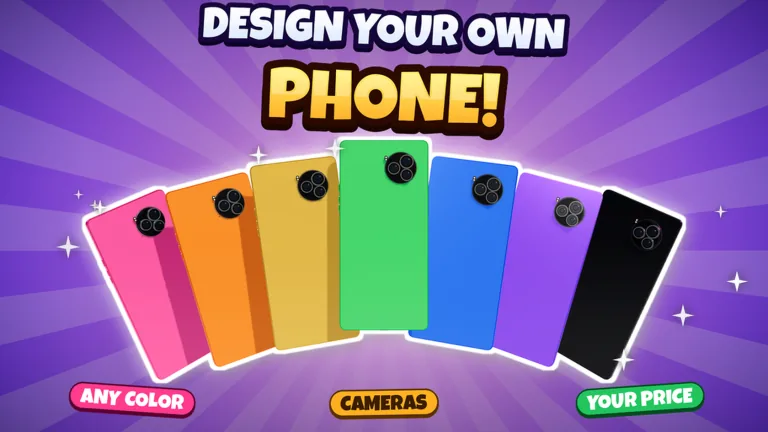
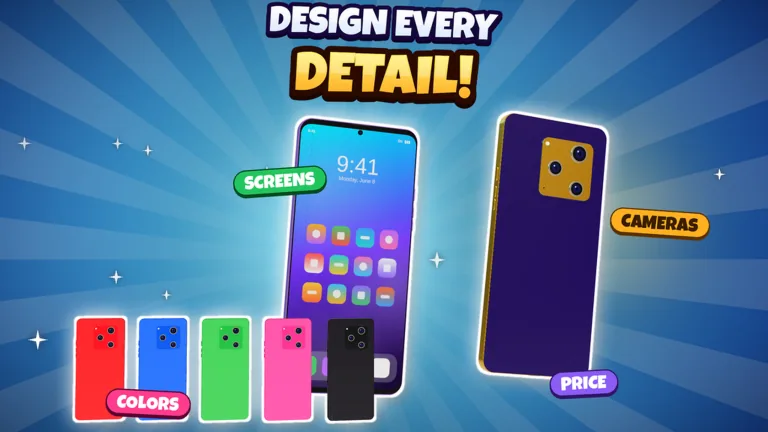
That hiring detail comes from the creator's description. The rest of that description covers designing devices (screen size, cameras, corners, buttons, colour, finish and logo), building an office from a garage to a Headquarters, researching tech year by year to unlock tablets, smartwatches, earbuds, foldables, laptops, AR headsets and drones, launching with a marketing campaign, competing on global leaderboards, and selling your company to restart with a Legacy bonus. It also lists 28 goals with cash rewards and automatic company saving.
Who makes it, and how big it has gotten
Build a Phone Empire is by DEVTEC STUDIOS and is free to play, tagged Simulation and Tycoon. The Roblox page records it as created on 22 September 2026 and last updated on 2 November 2026. As of 3 November 2026 the page showed 14,522,789 visits, 5,830 playing, 98,465 favourites, 40,335 up votes and 5,514 down votes. Its only listed official badge is "Welcome!", awarded for playing the game.
The game also appears on Medal.tv: according to Medal.tv's Build a Phone Empire page, the site has a page for the experience that reproduces the creator's description alongside a list of user-posted clips.
Other things the page does not answer
Questions a new player might reasonably ask about server size mostly go unanswered officially — whether a server holds eight separate companies or one shared world, how rejoining works, and whether friends can be invited directly. What is documented is the number: eight players per server maximum, with friends able to appear as hireable candidates in your office.
Separately, several third-party sites publish code lists for the game. According to Dexerto's code guide, codes are redeemed through a Store menu and a Codes tab and grant Cash and Research Points; those code lists are maintained by those outlets, not by the developer, and the official Roblox page in these materials does not document a code system.
Related guides
Related Guides
Build a Phone Empire: Age Rating and Is It Safe for Younger Players?
What the official Roblox page for Build a Phone Empire tells parents about the game's content and Roblox's own platform rules.
Build a Phone Empire: What Languages Does the Game Support?
Whether Build a Phone Empire is available in languages other than English, based on the official Roblox game page and creator description.
Is Build a Phone Empire Safe for Kids? Roblox Age Rating
What parents and younger players should know about Build a Phone Empire's Roblox age rating, content and the group behind it.
Build a Phone Empire: Controller Support and Supported Devices
Which devices Build a Phone Empire plays on according to the creator, what Roblox itself runs on, and what FACTS do and do not say about controller support.