
Build a Phone Empire: Tips for New Players
Practical early tips for Build a Phone Empire drawn from the developer's own description, from picking parts to spending on research.
- What are the best tips for starting out in Build a Phone Empire?
- Design every device yourself before you spend big
- How should you spend cash and research points early on?
- How do you expand your office and work through the 28 goals?
- Does Build a Phone Empire save your progress?
- How do you get extra cash and research points while starting out?
- Related guides
What are the best tips for starting out in Build a Phone Empire?
Start small, launch early, and let the money from your first devices pay for the next step. In Build a Phone Empire you begin in a garage in 2007 with the goal of building the biggest phone company in the world, and the official game page lays out the loop you repeat: design a device, choose the parts, set a price, hire a team, research new tech, launch with a marketing campaign, read the critics' reviews and watch sales come in live. Office upgrades, new regions and leaderboard places all come after that loop is running smoothly.
Design every device yourself before you spend big
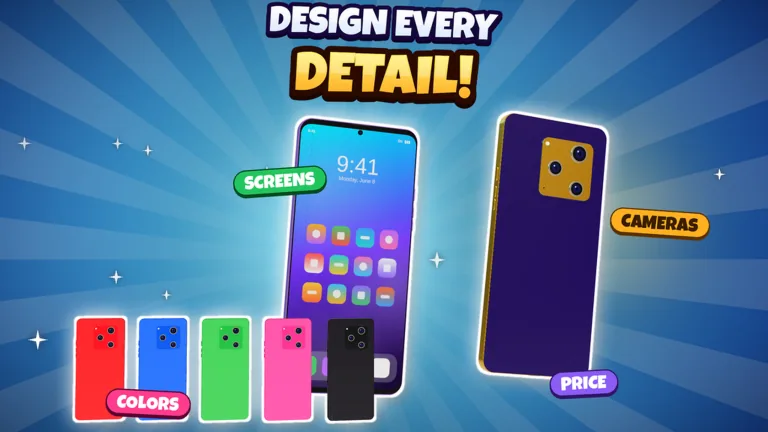
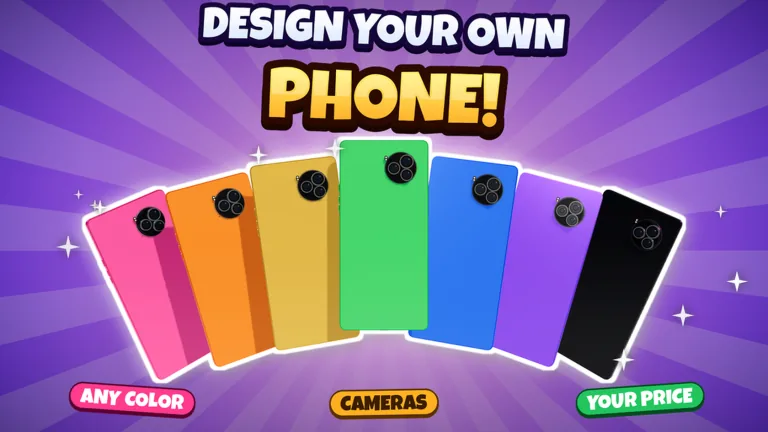
You do — designing is the core of the game, and it covers screen size, cameras, corners, buttons, colour, finish and logo, after which you pick the parts, set the price and hand the device to your team. Because the tool is that open, the temptation is to build the most expensive phone you can afford straight away. A steadier habit is to keep your first few designs modest, launch them, read what the critics say and let live sales figures tell you whether a bolder colour or a bigger screen earned its keep.
How should you spend cash and research points early on?
Cash and research points (RP) do different jobs, and treating them as a single budget is where young companies stall. According to Pocket Tactics, you need cash to buy parts, improve your office and market your latest creation, while RP is what lets you research new technology and expand your product range.
In practice that means parts and a launch campaign first, office decoration later, and RP handled as its own budget rather than something you sit on. Research moves year by year, and the official description lists the categories it opens up: tablets, smartwatches, earbuds, foldables, laptops, AR headsets and drones. The description does not state a recommended research order, so there is no officially confirmed "best" first unlock to aim for.
How do you expand your office and work through the 28 goals?
Your office starts as a garage and grows toward a Headquarters, and you build it your way with walls, doors, floors, paint, desks and decorations. You also hire a team, and your Roblox friends show up as candidates who work in your office as their real avatars.
The official page confirms 28 goals with cash rewards, global leaderboards to compete on, and the option to sell your company and restart with a permanent Legacy bonus. Working through the goals alongside your launches gives each session a target beyond the next product, while the leaderboards are a longer-term aim — realistically something to chase once your sales and research are steady.
Does Build a Phone Empire save your progress?
Yes. The official description states that your company saves automatically, so there is nothing special to do before closing the game. On the technical side, the game runs on Roblox, which is available on Windows, Mac, iOS, Android, Xbox and PlayStation, and the creator's description says it plays on phone, tablet, console and PC. The game page itself does not list which specific devices this experience supports.
How do you get extra cash and research points while starting out?
The official game page does not list any active code right now, so there is no officially published code to redeem. Code lists circulate on fan sites instead — according to Dexerto, six codes were active as of November 4, 2026 — but those lists are compiled by fan sites rather than published by the developer, they do not all agree on how many codes are available, and any code can stop working without notice. Treat them as unconfirmed extras rather than a guaranteed boost.
Dexerto also describes the redemption route reported for the game: open the Store menu, switch to the Codes tab, type a code into the box and press Redeem. That walkthrough comes from the fan site, not from the official page, which says nothing about codes or how to enter them.
For official news, the DEVTEC STUDIOS group on Roblox is the creator's own community hub, and the game page is where updates to the experience itself appear.
Related guides
Related Guides
Build a Phone Empire Codes (November 2026)
Looking for Build a Phone Empire codes? See what third-party sites report about codes for cash and research points, how they are redeemed and what to expect.
Build a Phone Empire Guide: How to Start Your Phone Company
Learn how to start Build a Phone Empire: design devices, build an office, hire a team and launch phones in this Roblox tycoon game, with tips for beginners.
Build a Phone Empire: From a 2007 Garage to a Global Headquarters
The overall progression arc of Build a Phone Empire, from a 2007 garage startup to a global phone company with regions, rivals and a Legacy sale.
Build a Phone Empire: 28 Goals and 8-Player Servers Explained
A quick reference covering the two numbers every new player asks about: the 28 in-game goals with cash rewards and the 8-player server limit.